
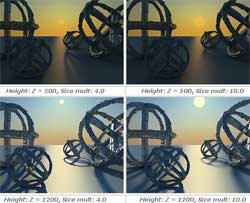
If you want to understand better how to set the new vray plugins: vraysun and vraysky please read the following tutorials. They are in Spanish language but very easy to undestand. There are many images to explain the concepts.
Official examples by Chaosgroup
Vraysun and vraysky settings
Tutorial by Neozenit from 3dsymax.org
- Tutorial part 1: Vray sky (Spanish)
- Tutorial part 2: Vray Sun (Spanish)
- Tutorial part 3: Settings optimization (Spanish)
 / Also Learn Corona Renderer


hii. can give me,step for realistic rendering with vray light. thanks so much. please reply
ur shared tutos are very helpfull!! i dunno how to say thanks !
hola nesesito aprende a hacer grama real aver si me pueden ayudar
gracias .
wow..i am so impressed, really nice rendering..could you tell me how to make it? please reply me 😉
cám Æ¡n vì đã cho anh em há»c táºp !
thanks for share !
Dear iLcapitano. It works if you just watch pictures and set the light correctly on the scene. That’s it. Hope you worked it out since 2007 😉
Con Vray 2010, funciona bien esta explicación. Salvo que se puede sustituir Quasi-Monte Carlo por Brute force.
veryyyyyyy good.its so helpful.really thanks.
i link ai siti non sono piu collegati…
ciao enzo, questo articolo é molto vecchio