
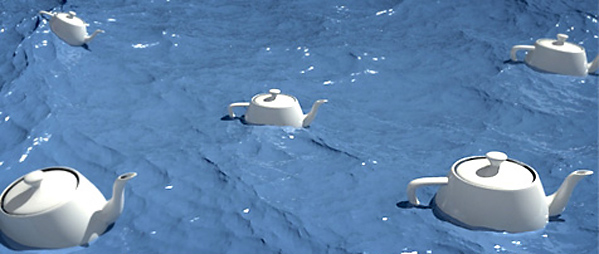
[ Free Vray scene ] – If you have a boat, a yacht or anything else and want to render it on the water, perhaps Charles Hollemeersch’s plugin is for you.
Already a few years ago Charles realized this fantastic plugin that – simply – adds a geometry “sea”.
INSTALLATION
Unzip the contents of this zip file into the [maxfolder]/plugins directory, so for example: c:\3dsmax6\plugins
Then just go to Create> Geometry> Hollemeersch.NET and select the object OceansWaves. Then click anywhere in the scene to create it.
You see a surface that immediately gives the idea of “sea”. Fantastic? Try now to operate the button of animation… isn’t it super fantastic? yeees!!!
There are various parameters that can be set as the height of waves, wind speed, the speed of movement, the type of crimp and the number of subdivisions (which adjusts the level of detail of the object).
This parameter – the number of subdivisions – is the sore point. OceanWaves uses a large number of polygons (70,000> subd = 7 / 2,000,000> Subd = 10) and is easy ultizzando a subdivision even higher standard should be a PC crash for lack of memory. (Mine is gone crash to 11).
Here the plugin link and my scene, just tu test it! 3ds max + vray 1.5 -Enjoy them!
- OceanWaves – Plugin
- ( plugin / mirror )
 / Also Learn Corona Renderer


thanks. it’s very simple
i wanna know if it compatible with 3ds Max 2009…i hope it is :D:D
Its not compatible with Max 2009. I want to use this plugin but its not working
its amazing..
can any one provide a plugin to make terrain for max design 2011 -64 bit
Thanking you!
thaaannnk